.png)
A checkout link lets a customer pay for an order online, in their own time. You send them a secure link, they choose a payment method and pay, and the order updates automatically. This guide shows you how to share one.
Get the order ready
A checkout link is available once an order is Pending — that is, it has items and has been submitted but isn't paid yet. If your order is still a Draft, add the items and click Submit first. See Create and manage orders for the full flow.
Share the checkout link
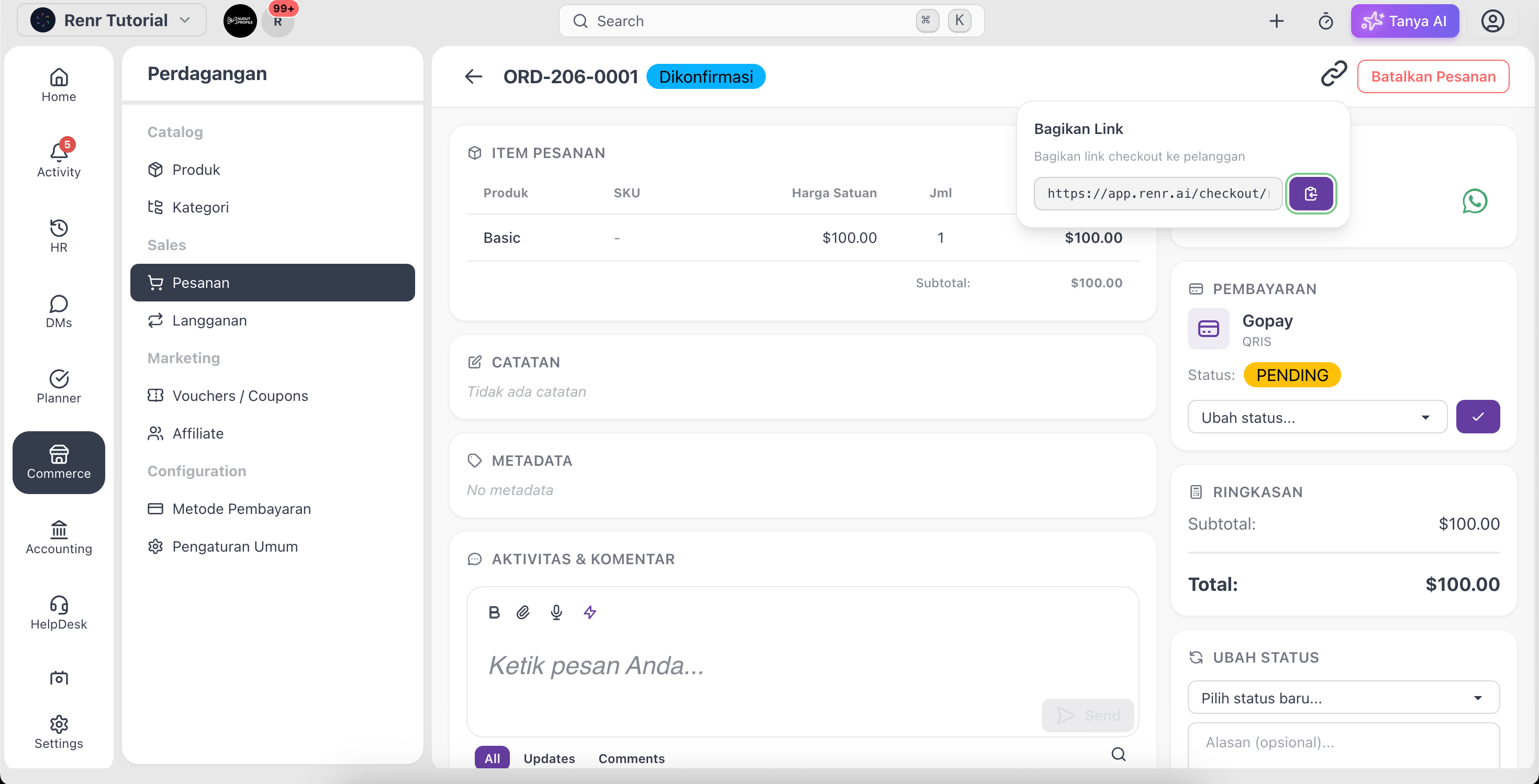
- Open the pending order from Orders.
- Click Share.
- Copy the checkout link, or send it directly over WhatsApp.
What the customer sees
The link opens a secure checkout page showing the order items, the total, and your enabled payment methods. The customer picks how they want to pay and completes the payment — no account needed.
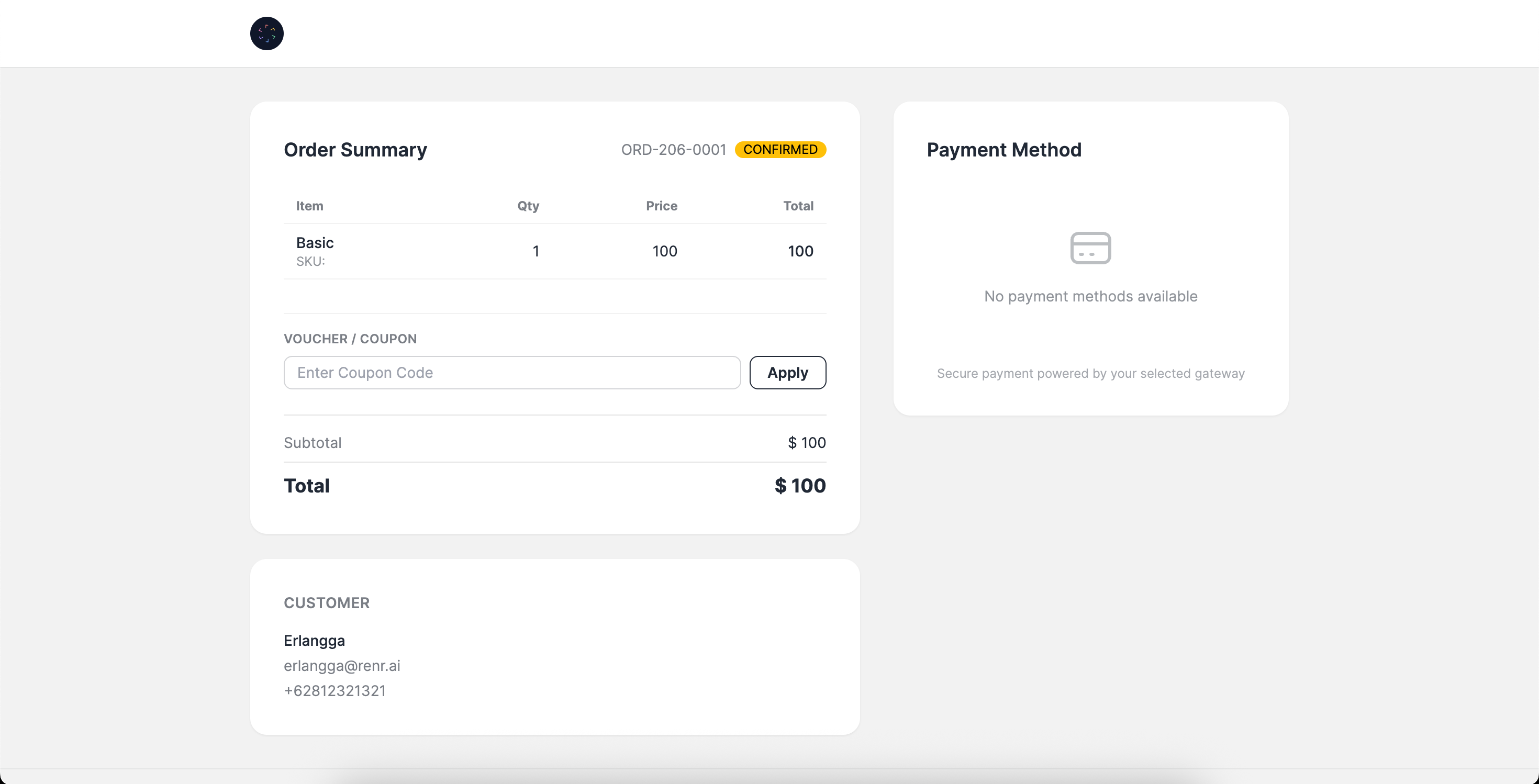
Sample Link : https://app.renr.ai/checkout/renr-tutorial/49237c23-d850-44d9-8b2e-7a3e37
After the customer pays
When payment comes through, the order's payment status updates to Paid and an invoice becomes available to share. If the order is later cancelled or refunded, the checkout link stops accepting payment.
Tip: The payment options on the checkout page are your configured payment methods. Set these up first so customers have a way to pay — see Set up your payment methods.