.png)
Informasi bisnis Anda adalah fondasi dari cara Renr merepresentasikan perusahaan Anda di seluruh platform — mulai dari nama dan logo yang dilihat tim Anda hingga zona waktu, lokal, dan mata uang yang membentuk tanggal, bahasa, dan harga. Panduan ini menunjukkan cara membuka pengaturan bisnis, meninjau apa yang tersimpan, dan memperbarui detail apa pun.
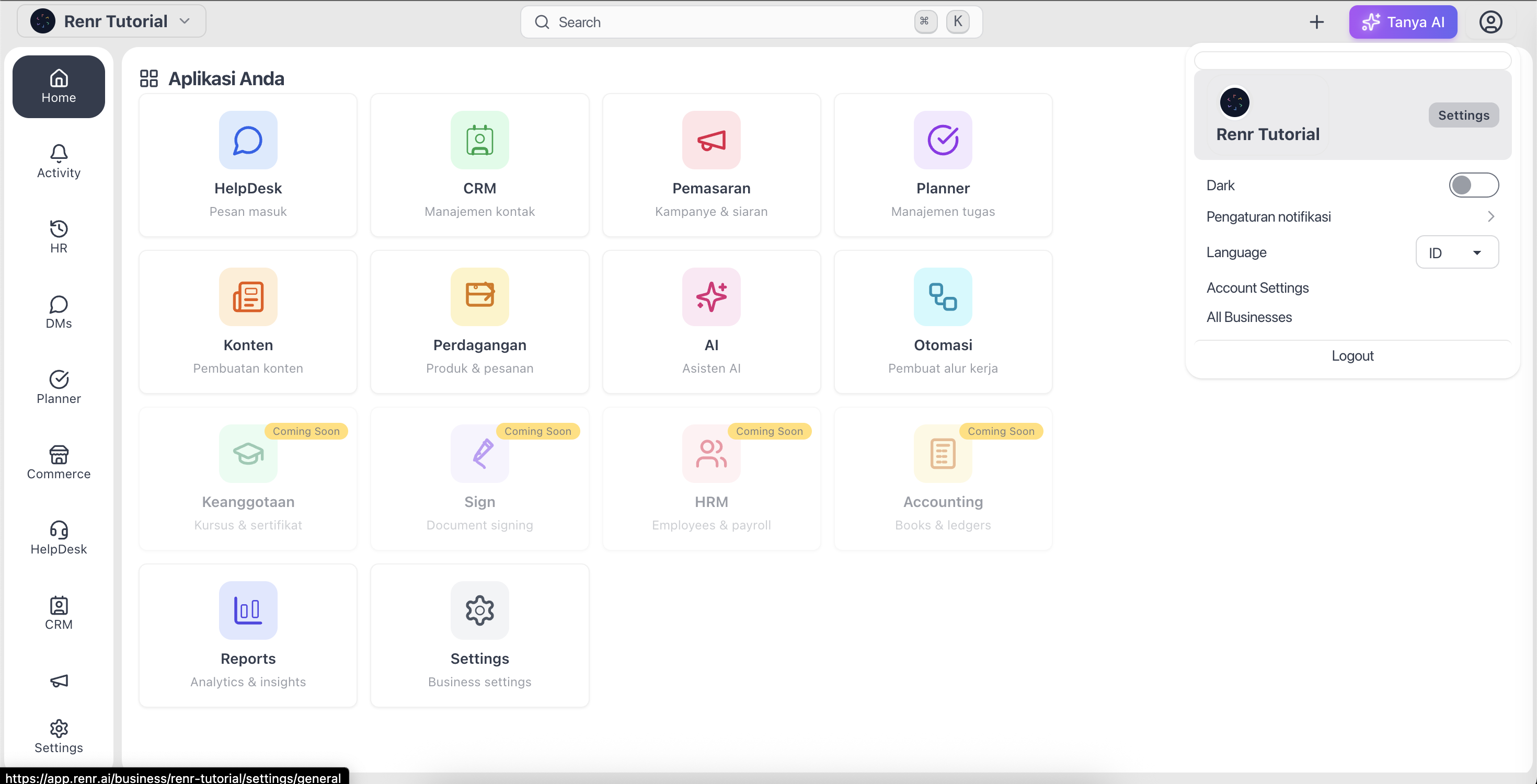
Membuka pengaturan bisnis Anda
- Klik foto profil Anda di pojok kanan atas, atau buka Pengaturan dari menu samping.
- Pilih Umum untuk membuka halaman Pengaturan Umum.
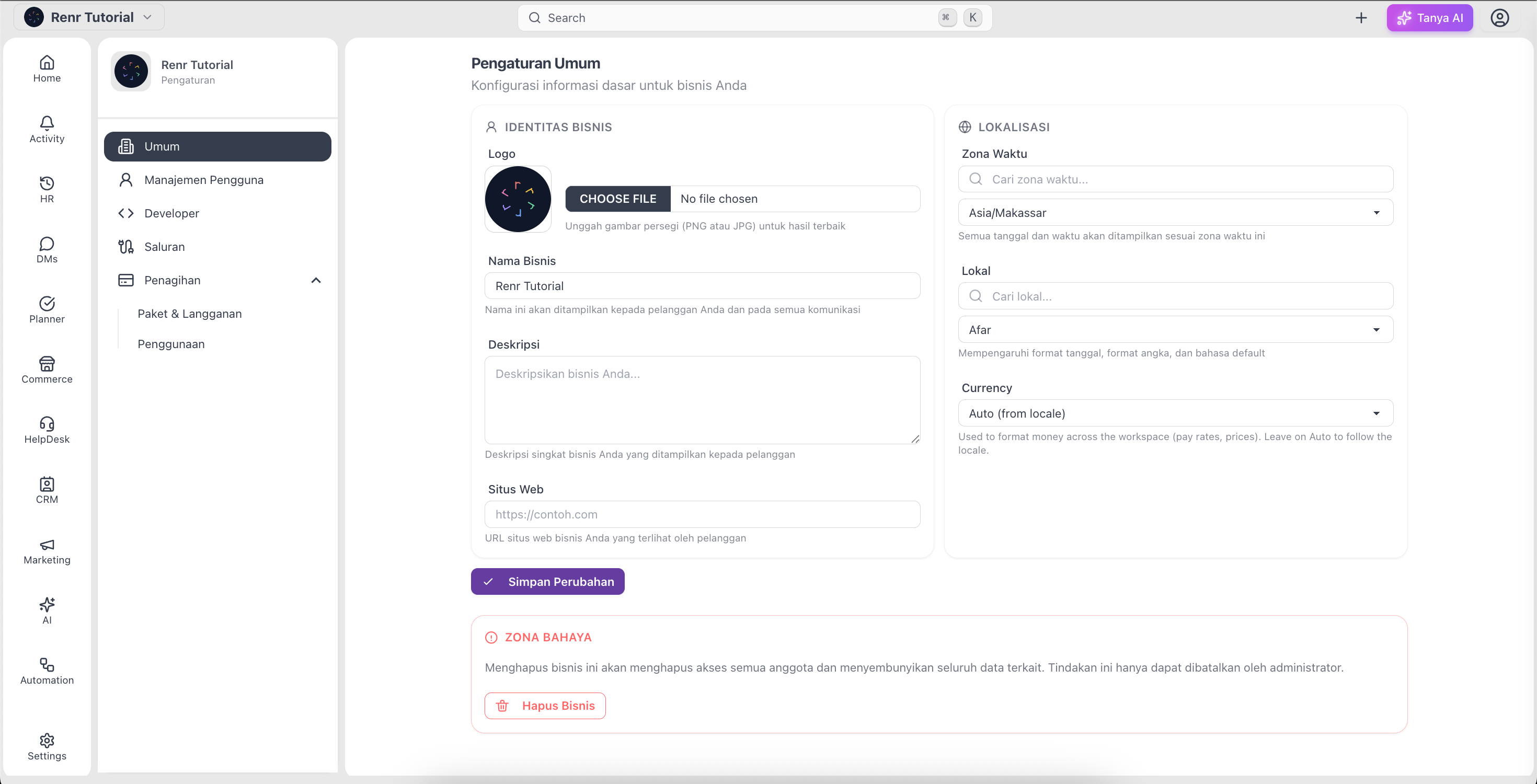
Meninjau informasi bisnis Anda
Halaman Pengaturan Umum mengelompokkan detail Anda ke dalam dua bagian.
Identitas Bisnis
- Logo — gambar yang ditampilkan di seluruh ruang kerja Anda; unggah file PNG atau JPG.
- Nama Bisnis — nama yang dilihat tim dan pelanggan Anda (wajib).
- Deskripsi — ringkasan singkat tentang apa yang dilakukan bisnis Anda.
- Situs Web — URL situs web bisnis Anda.
Lokalisasi
- Zona Waktu — zona waktu yang digunakan untuk tanggal dan penjadwalan di seluruh Renr.
- Lokal — bahasa dan format regional untuk ruang kerja Anda.
- Mata Uang — mata uang yang digunakan di seluruh commerce dan invoice, disarankan otomatis dari lokal Anda.
Mengedit dan menyimpan perubahan Anda
- Klik pada kolom mana pun — misalnya Nama Bisnis atau Deskripsi — lalu ketikkan nilai baru Anda.
- Untuk Logo, klik area unggah dan pilih gambar dari perangkat Anda.
- Gunakan dropdown yang dapat dicari untuk mengatur Zona Waktu, Lokal, dan Mata Uang.
- Setelah semuanya sesuai, klik Simpan Perubahan.
- Pesan konfirmasi akan muncul setelah perubahan Anda tersimpan.
Catatan: Nama Bisnis wajib diisi dan minimal 3 karakter — kolom ini tidak boleh dikosongkan.
Tip: Gunakan logo persegi dalam format PNG atau JPG agar hasilnya paling tajam di seluruh aplikasi.
Catatan: Jika Anda adalah pemilik bisnis, bagian bawah halaman ini juga menampilkan Zona Bahaya dengan opsi Hapus Bisnis. Menghapus akan mencabut akses semua orang, jadi gunakan dengan hati-hati.