.png)
Two-factor authentication (2FA) adds a second step to signing in, so your account stays protected even if someone learns your password. With an authenticator app on your phone, you enter a short code from the app in addition to your usual sign-in. This article shows you how to set up an authenticator app and what to expect the next time you sign in.
Before you begin
You will need an authenticator app installed on your phone. Any standard app works, including Google Authenticator, Microsoft Authenticator, Authy, or FreeOTP. Install one from your device's app store before you start.
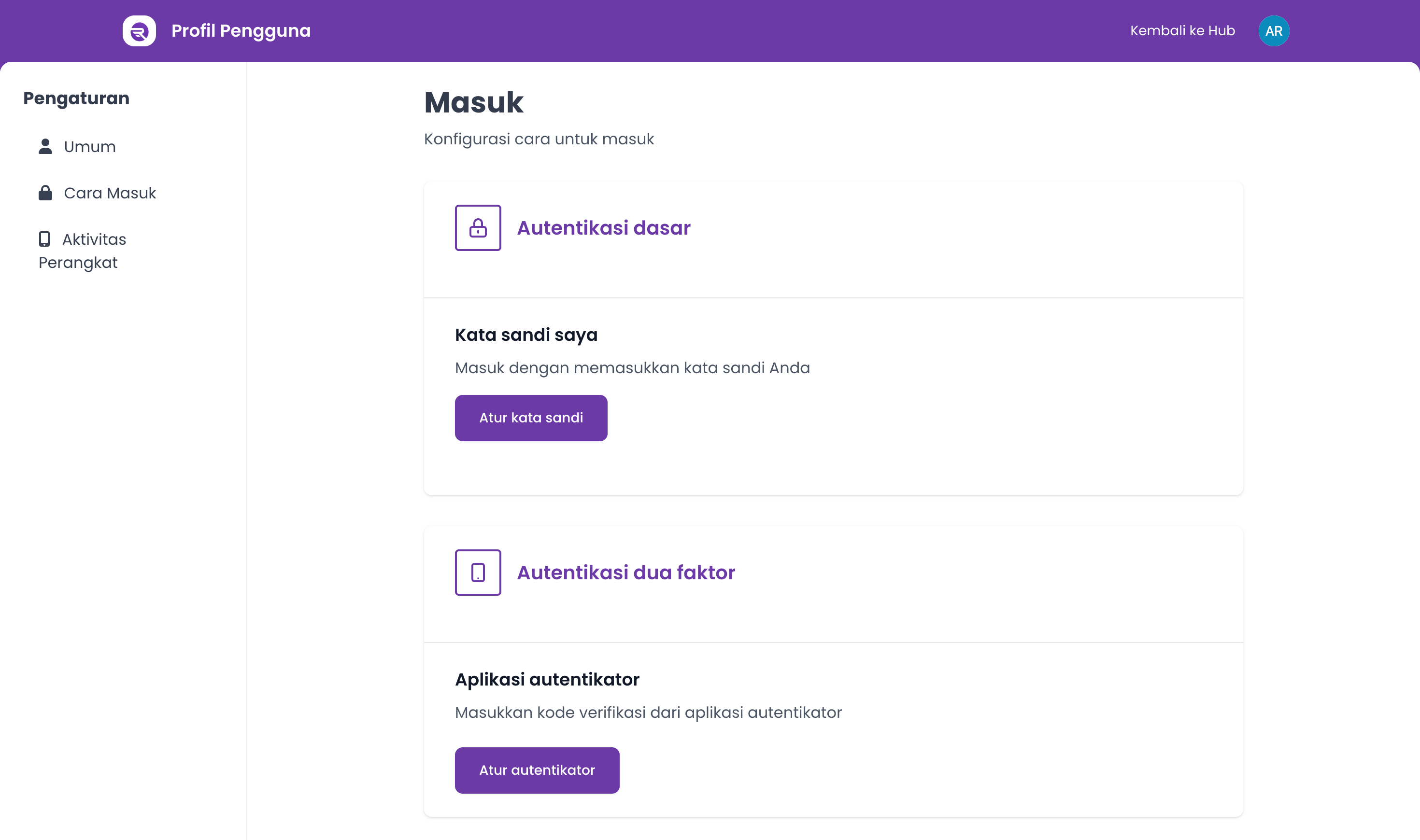
Set up an authenticator app
- In the top-right corner, click your profile avatar to open the account menu, then open Account Settings.
- In the settings menu, go to Signing in.
- Find the Two factor authentication section. Under Authenticator application, click Set up authenticator.
- You will be taken to Renr's secure sign-in provider to finish setup. When prompted, open your authenticator app and scan the QR code shown on screen. If you cannot scan it, enter the setup key manually instead.
- Your app will generate a 6-digit code. Type that code into the verification field to confirm, then submit.
- Once the code is accepted, two-factor authentication is switched on and you are returned to the Signing in page.
Tip: Keep the authenticator app installed and your phone close at hand. You will need a fresh code from it each time you sign in.
Sign in with two-factor authentication
After 2FA is set up, signing in takes one extra step.
- Enter your usual sign-in details as normal.
- When prompted for a verification code, open your authenticator app and read the current 6-digit code for Renr.
- Enter the code to finish signing in. A new code is generated every 30 seconds, so use the one showing at that moment.
Note: If you lose access to your authenticator app, you may be locked out of your account. Keep a backup method available, and contact your administrator if you need help regaining access.