.png)
AI Tools let your AI agent do more than chat. By attaching tools, the agent can call your own systems and take actions — like sending data to an external service or creating a task — right inside a conversation.
Open AI Tools
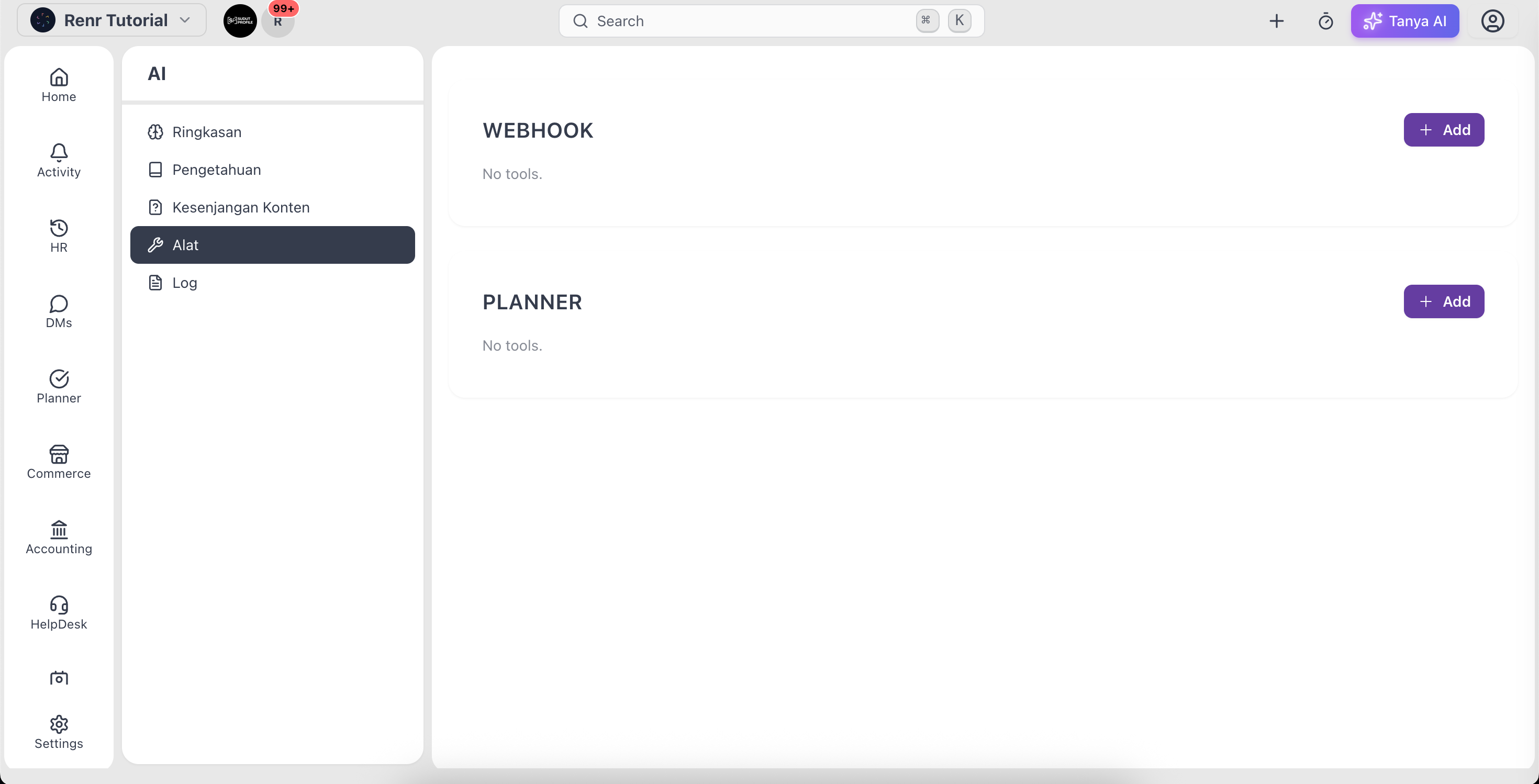
Go to AI → Tools to see the tools your agent can use, grouped by type.
Tool types
- Webhook — calls an external API so the agent can fetch or send information to another system.
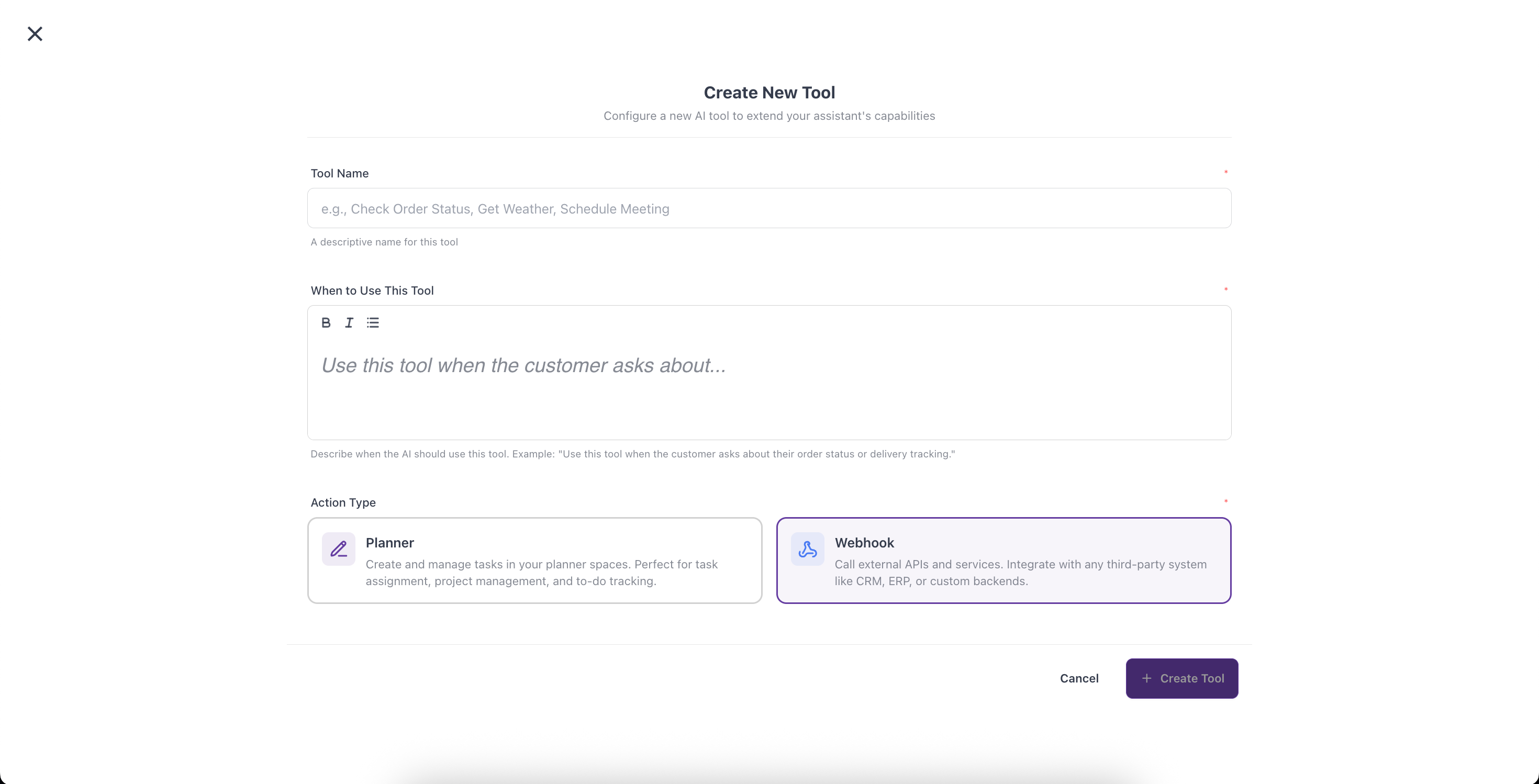
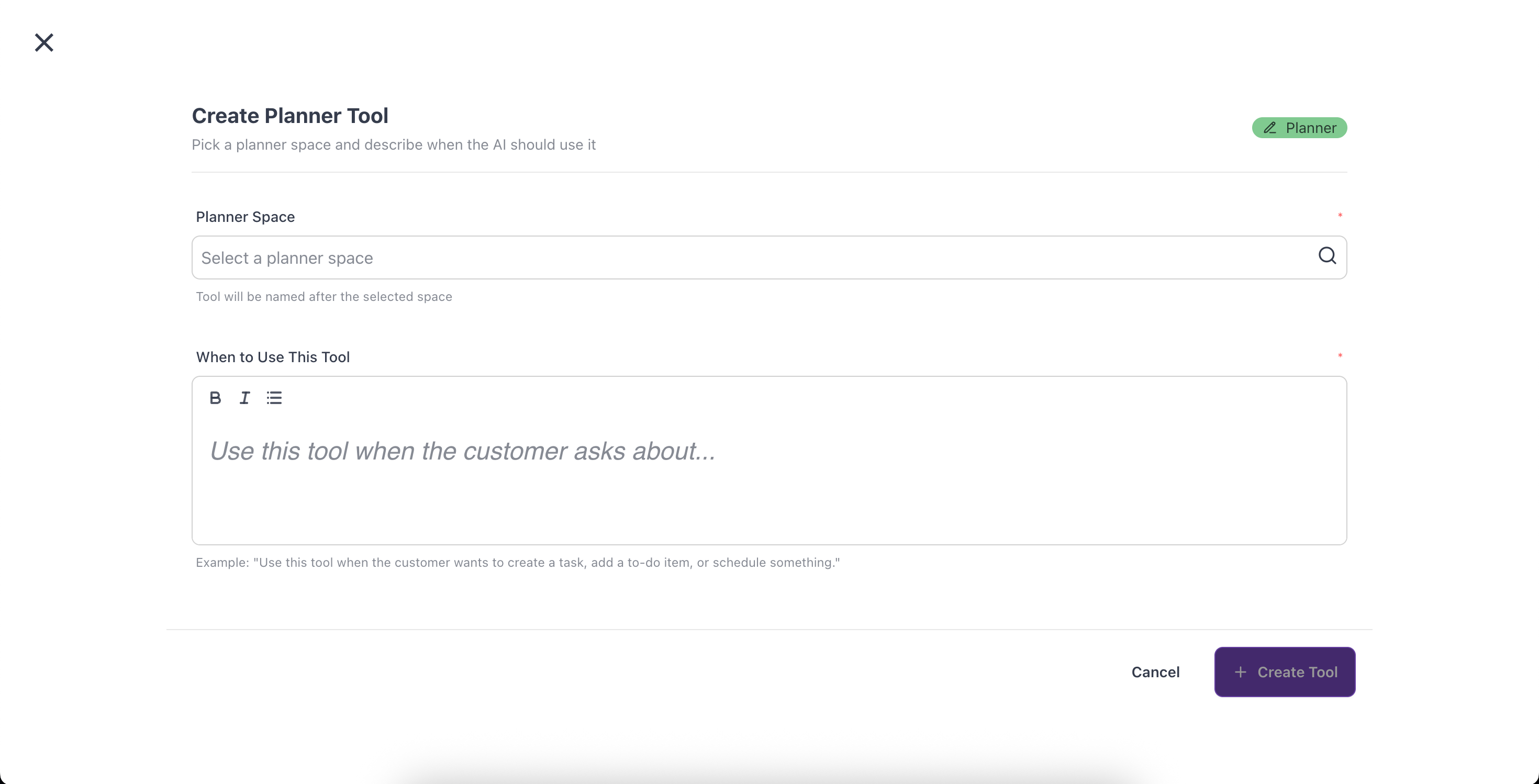
- Planner — creates and manages tasks in a Planner space.
Add a tool
- Click Add on the tool type you want.
- Give the tool a clear Name.
- Fill in When to use — describe the situation that should trigger this tool. The agent reads this to decide when to call it.
- For a Webhook, add the URL, method, and any authentication; for Planner, choose the space.
- Save the tool and switch its toggle to Enabled.
Edit or remove
Click a tool to edit its details, or use Delete to remove one you no longer need. Disable a tool any time by turning off its enabled toggle.
Tip: Write the When to use trigger as plainly as possible — it's the agent's only cue for choosing the right tool at the right moment.