.png)
The Knowledge Center is what your AI agent learns from. Add your business knowledge here and the agent uses it to answer customer questions accurately in Omni Chat.
Open the Knowledge Center
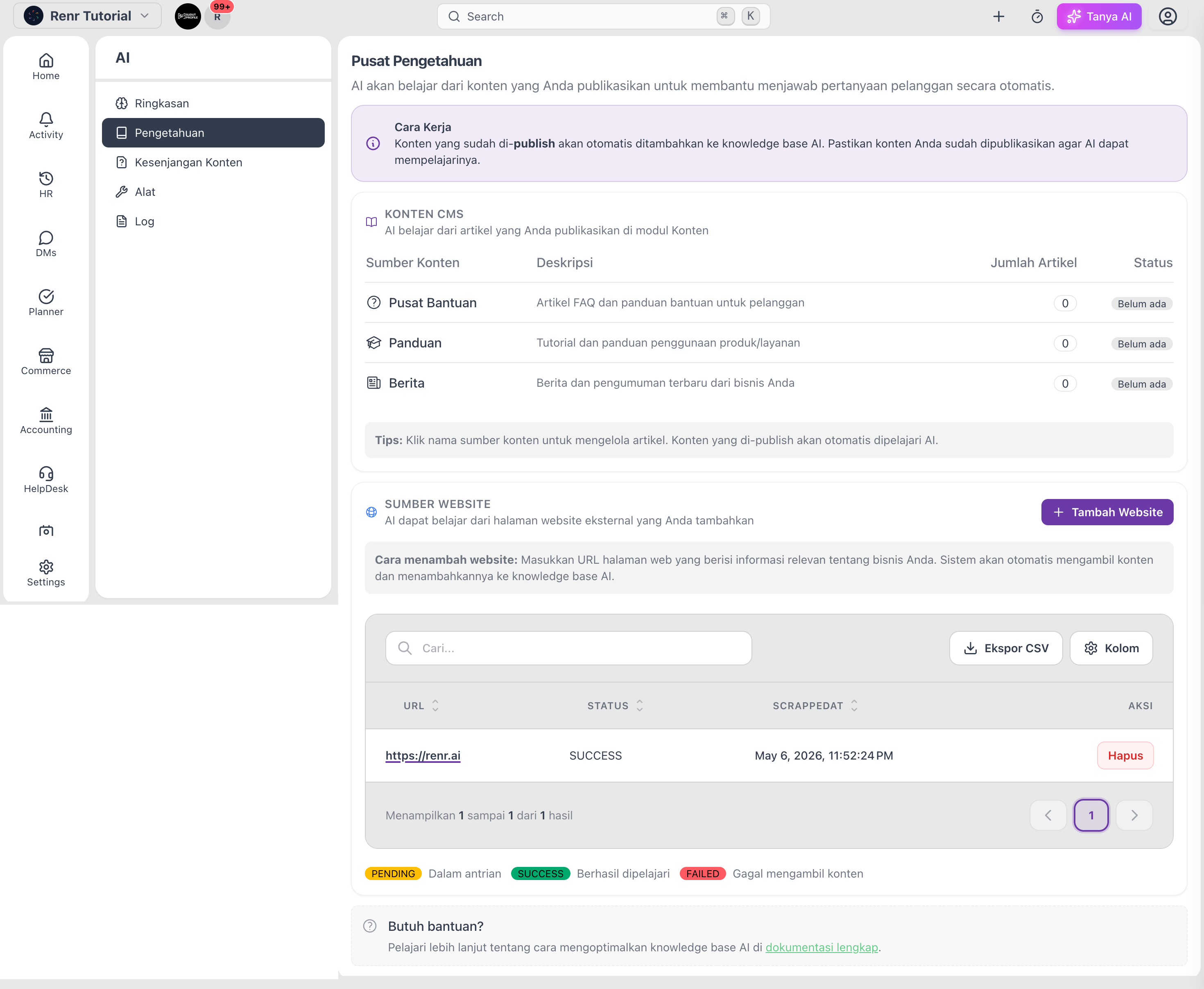
Go to AI → Knowledge. Knowledge comes from two places: your published content and the websites you add.
Learn from your published content
Anything you publish in the Content module is learned automatically. The CMS Content section lists three sources:
- Help Center — FAQ articles and help guides.
- Guidance — tutorials and how-to guides.
- News — announcements and updates.
Click a source name to manage its articles. Each shows a status of Active or Not yet available.
Add a website
- In Website Sources, click Add Website.
- Enter the URL of a page with useful information about your business.
- Click Scrape.
The page is queued as PENDING, then becomes SUCCESS once learned or FAILED if the content couldn't be read.
Tip: Publish your most common questions as Help Center articles — they feed both your customers and your AI agent at the same time.
Note: Only published content is learned. Drafts stay private until you publish them.