.png)
Bisnis Anda adalah ruang kerja yang menampung kontak, percakapan, tugas, dan konten di Omni. Panduan ini memandu Anda melewati wizard registrasi langkah demi langkah, sehingga Anda dapat membuat bisnis baru dan langsung tiba di dashboard hanya dalam beberapa menit.
Sebelum memulai
- Anda memerlukan akun Renr dan harus sudah masuk. Jika belum membuatnya, lihat Account Management.
- Siapkan nama bisnis, industri, dan ukuran tim Anda — wizard akan menanyakannya.
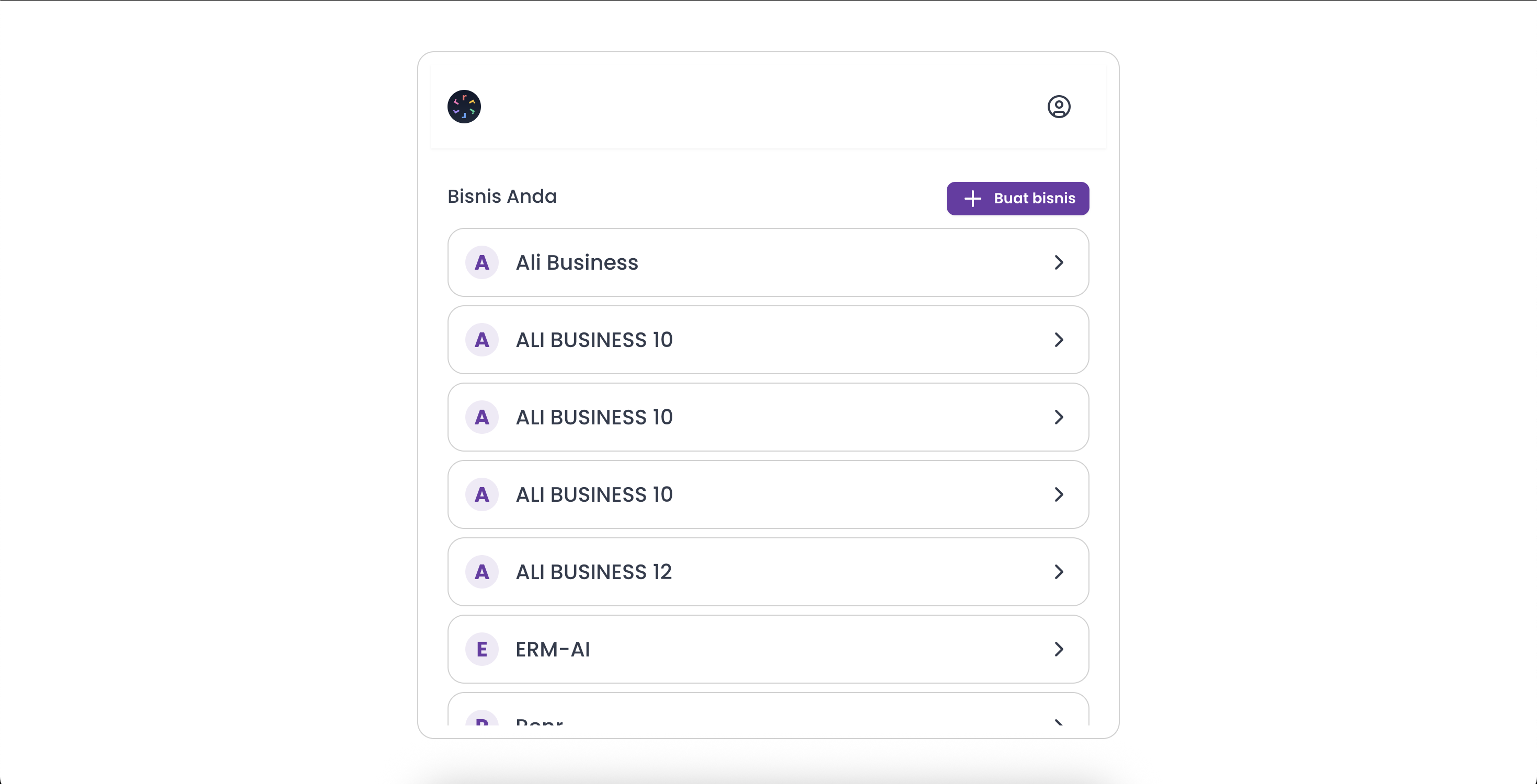
Membuka wizard registrasi
Dari hub bisnis, klik Create business. Jika Anda baru saja mendaftar dan belum memiliki bisnis, Omni akan membawa Anda ke sini secara otomatis. Saat diminta, pilih Create a new business daripada bergabung dengan bisnis yang sudah ada.
Wizard memandu Anda melalui empat langkah singkat, ditunjukkan oleh bilah progres Step X of 4 di bagian atas.
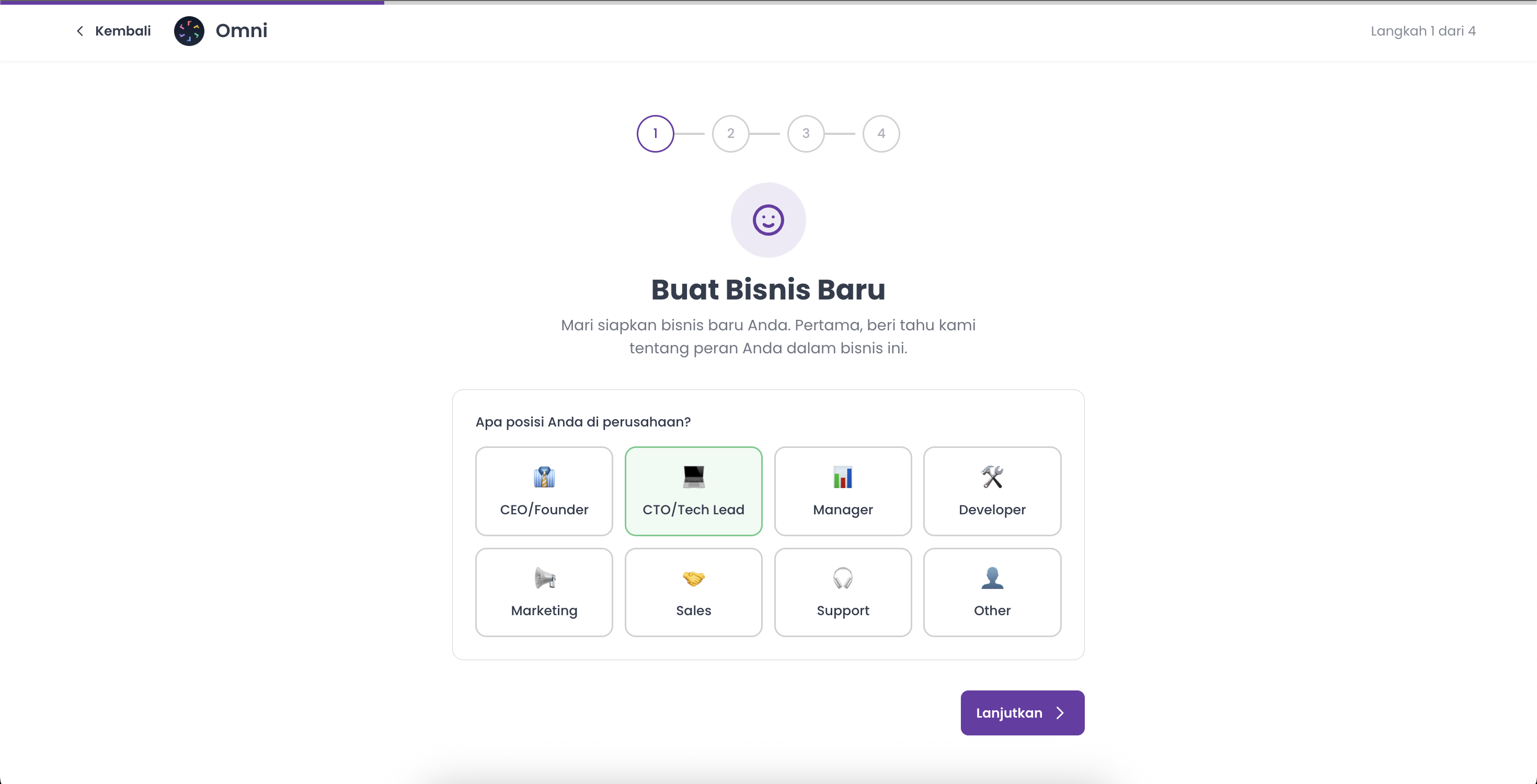
Langkah 1 — Peran Anda
Pada What's your position in the company?, pilih peran yang paling menggambarkan Anda — CEO/Founder, CTO/Tech Lead, Manager, Developer, Marketing, Sales, Support, atau Other. Lalu klik Continue.
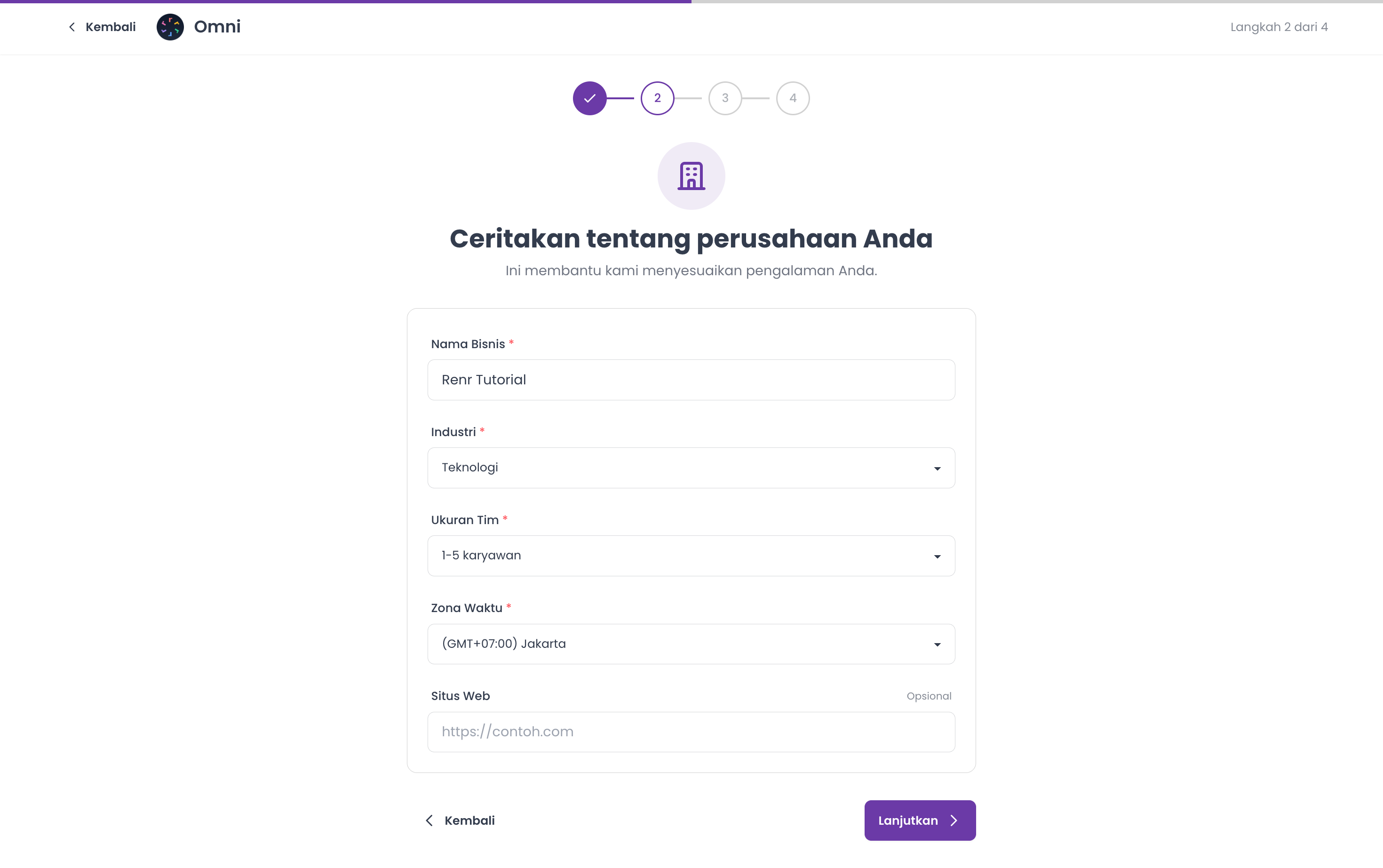
Langkah 2 — Detail perusahaan
Pada langkah Tell us about your company, isi:
- Business Name (wajib) — antara 3 dan 150 karakter. Omni menggunakan nama ini untuk membuat alamat web ruang kerja Anda, jadi pilihlah dengan cermat.
- Industry (wajib) — pilih yang paling sesuai dari daftar.
- Team Size (wajib) — pilih rentang jumlah tim Anda (1-5, 6-20, 21-50, 51-200, 201-500, atau 500+).
- Timezone (wajib) — pilih zona waktu tempat tim Anda bekerja; ini mengatur waktu untuk penjadwalan dan laporan.
- Website (opsional) — tambahkan URL situs web Anda jika ada.
Klik Continue.
Tip: Anda dapat mengubah detail ini kapan saja nanti dari pengaturan bisnis Anda.
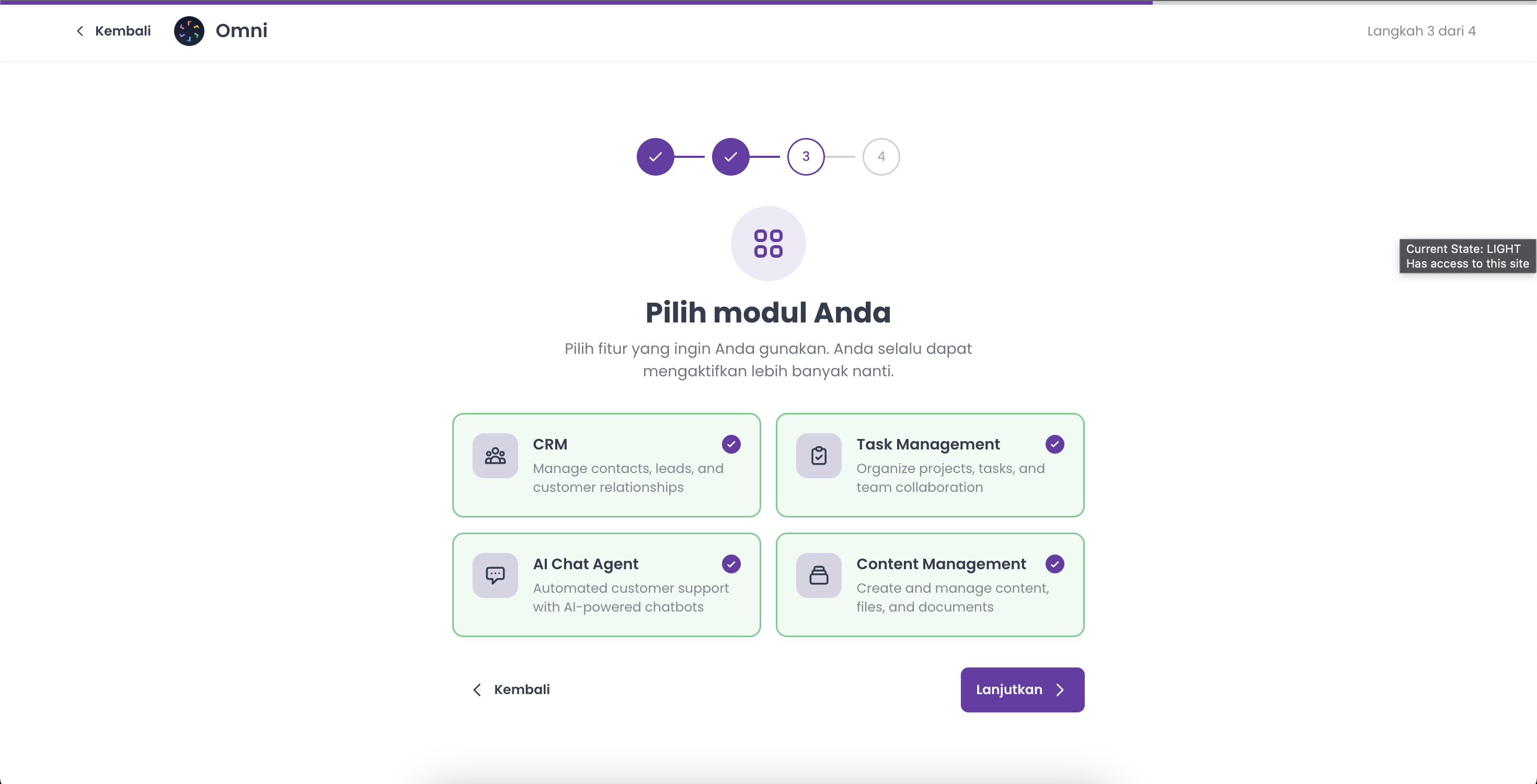
Langkah 3 — Pilih modul Anda
Pada Choose your modules, pilih setidaknya satu fitur yang ingin Anda mulai:
- CRM — kelola kontak, prospek, dan hubungan pelanggan.
- Task Management — atur proyek, tugas, dan pekerjaan tim.
- AI Chat Agent — dukungan pelanggan otomatis bertenaga AI.
- Content Management — buat dan kelola konten, file, dan dokumen.
Pilih setidaknya satu untuk melanjutkan — Anda selalu dapat mengaktifkan modul lain nanti. Lalu klik Continue.
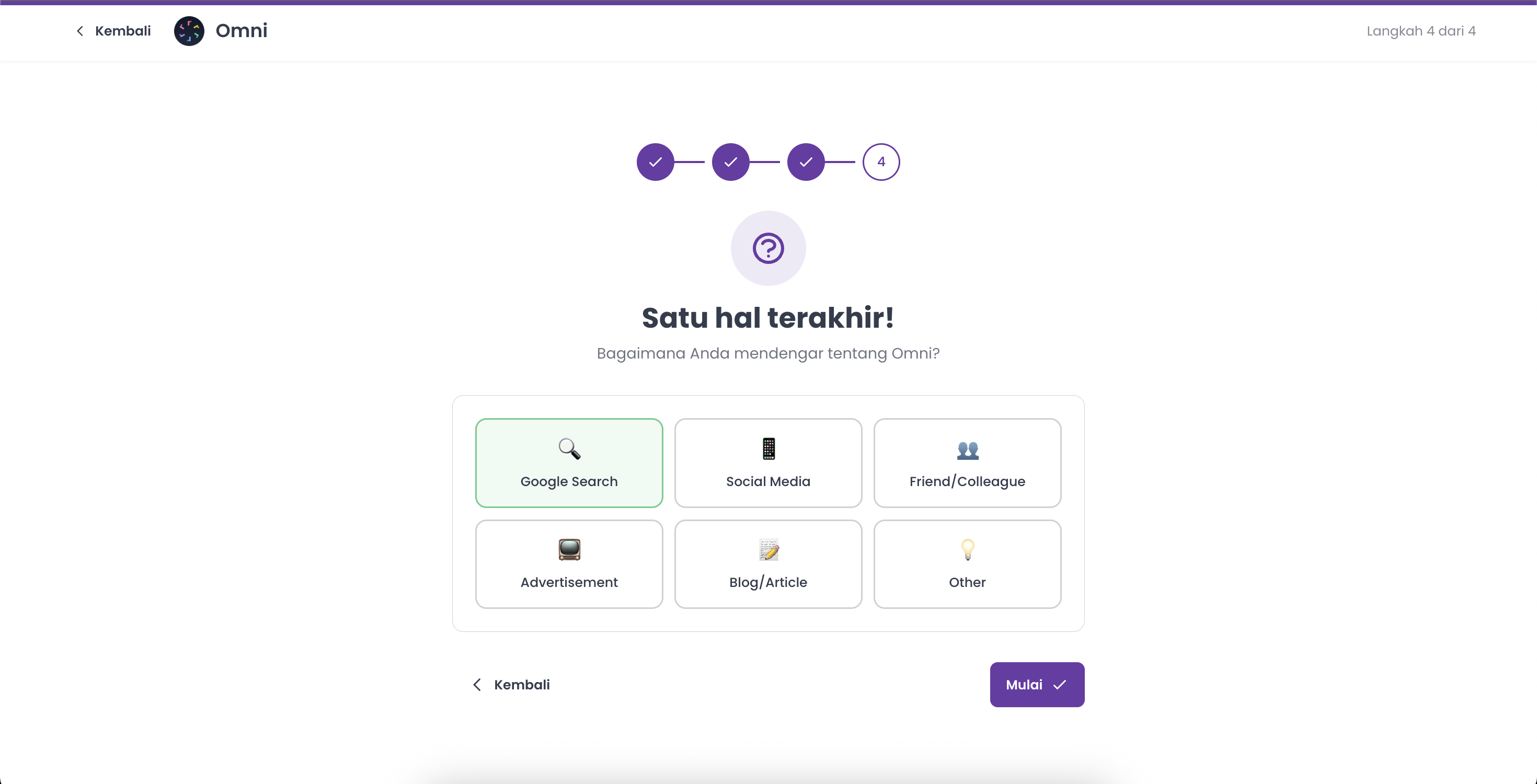
Langkah 4 — Bagaimana Anda menemukan kami
Pada langkah terakhir, How did you hear about Omni?, pilih sumbernya — Google Search, Social Media, Friend/Colleague, Advertisement, Blog/Article, atau Other. Jika memilih Other, tambahkan catatan singkat pada kotak yang muncul.
Klik Get Started untuk membuat bisnis Anda.
Catatan: Omni membuat alamat web unik untuk bisnis Anda secara otomatis dari namanya — Anda tidak perlu mengaturnya sendiri.
Selesai
Omni membuat bisnis Anda dan langsung membawa Anda ke Home-nya. Dari sini Anda dapat mengundang rekan tim, menghubungkan channel, dan mulai bekerja di modul yang Anda pilih.